Returns & Replacements
POD shipping and delivery expectations
Set realistic POD delivery windows for Australian customers, explain order stages and separate parcels, and update buyers when estimates change.
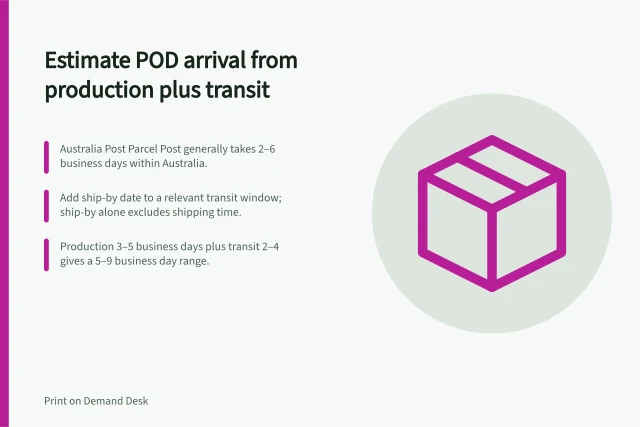
A print-on-demand delivery estimate should cover production time and delivery time.
Show customers an order-to-door window, explain when it starts, and update it when a known delay changes the outlook. An estimated dispatch date alone does not tell a buyer when the parcel should arrive.
Build the estimate for the order route
Check the selected product, supplier, shipping method and destination. Allow for any step before the supplier can process the order, such as a manual approval. If the inputs are uncertain, use a supported range rather than an exact arrival date.
Suppliers present timing differently. Gelato's estimated delivery date includes both fulfilment time (time to create products) and shipping time (time to deliver from the print partner to the delivery address).
These estimates can change with the product, route and current conditions; there is no universal POD delivery time.
A carrier's transit estimate applies to a particular service after dispatch. Use a carrier's guidance only for the service that will carry the parcel.
Describe the shipping service carefully
Gelato says that, in most countries, Standard/Economy delivery is typically 2–4 days domestically and 4–6 days internationally. Express Shipping is prioritised for expedited delivery, but these general service descriptions are not a guaranteed window for a particular Australian destination or order.
Gelato reports that 95% of orders are produced in the same country as their delivery destination, while noting that international routing can occur. Production location depends on factors including stock availability, production capacity and logistics, so avoid implying that every order will be made locally.
Gelato shipping service estimates
- Standard/Economy delivery, domestic (most countries)2–4 days
- Standard/Economy delivery, international (most countries)4–6 days
- Orders produced in the same country as the delivery destination95%
Explain the order stage
| Stage | What the update means |
|---|---|
| Order received | The store has the order; a supplier approval, payment or file issue may still need attention. |
| In production | The item is being made; carrier tracking may not yet exist. |
| Ready to ship | A label or shipment record may exist, but carrier collection is not yet confirmed. |
| In transit | Carrier events can help refine the arrival estimate. |
| Delivered | Check the delivery event and the customer’s report if an item appears missing. |
Use the supplier's actual status definitions. Gelato, for example, says its “Shipped” status can mean the label has been created while the parcel is still awaiting pickup. Avoid calling an order in transit until the available evidence supports that description.
Gelato distinguishes several steps before an item is in production: an order may be Created, artwork may be Uploading to print partners, and Passed means the design file has cleared inspection. Digitising applies only to embroidery orders, where the design is being prepared for the machines; Printed means the item has been made and is moving to the next stage.
Some Gelato statuses indicate that an order is still waiting to proceed. Pending approval means a manual review is required, while Pending personalisation means the customer still needs to provide personalisation details. A Draft has not been submitted for processing, so these statuses should not be presented as production progress.
Keep payment status distinct from fulfilment status when describing an order. Gelato labels payment as Paid, Pending or Refused; a payment marked Pending is still being verified and processed, rather than confirming that the parcel is being made or delivered.
Order stages and what each update means
- Order receivedThe store has the order; a supplier approval, payment or file issue may still need attention.
- In productionThe item is being made; carrier tracking may not yet exist.
- Ready to shipA label or shipment record may exist, but carrier collection is not yet confirmed.
- In transitCarrier events can help refine the arrival estimate.
- DeliveredCheck the delivery event and the customer's report if an item appears missing.
Account for separate parcels
One checkout order may produce several parcels. Gelato, for example, splits an order into multiple shipments when products are best produced at different locations. Each shipment is treated as an individual order but linked to the original order number, and each order segment receives a unique tracking number.
Gelato also says customers are informed about the shipments, and the displayed delivery time represents the longest estimated delivery time among all shipments. If a basket may split, the delivery estimate should reflect the possibility of separate parcels.
How one order can become several shipments
- Order placedOne checkout order is created.
- Routed to print locationsProducts are split across locations when that is the best production route.
- Order splits into separate shipmentsEach shipment is treated as an individual order but linked to the original order number.
- Separate tracking issuedEach order segment receives its own unique tracking number.
Update a changed promise
Check the supplier order before attributing a delay to the carrier. A hold, stock issue or production delay may change the arrival window.
State the confirmed stage, the revised window if one is supportable, what remains uncertain and when the next update will come.
For international shipments, Gelato says customs fees may apply under local regulations and recommends informing customers about that possibility. Make clear that such fees are separate from the delivery window, rather than implying that the quoted arrival estimate covers every border-related charge.
What to include when a delivery promise changes
- Check the supplier order before attributing the delay to the carrier
- State the confirmed order stage
- Give the revised arrival window if one is supportable
- Say what remains uncertain
- Confirm when the next update will come
- For international shipments, note that customs fees may apply separately from the delivery window
In this guide
- Estimating delivery from production plus transit timeCalculate a POD arrival window without double-counting shipping or mistaking a ship-by date for a delivery date.
- Explaining split shipments from multiple POD suppliersMap items to separate POD parcels, explain their tracking and delivery windows, and respond when only part of an order arrives.
- Tracking a POD order stuck before dispatchDiagnose a POD order with no confirmed dispatch by checking submission, holds, production status and the current ship-by estimate.
- Updating delivery estimates during a peak periodRefresh POD delivery windows from current supplier and carrier information, then update checkout copy and affected customers.